Lemma · Apps
When chat isn’t the right shape, it builds an app.
An app is a small screen for one recurring job, like checking a customer’s file or reviewing a reply. Your teammate builds it on the data it keeps, and your people work in it as themselves.
From an answer in chat to an app.
 June /Harbor’s first import
- Account access
- Source received
- Columns mapped
- 4Sample validated
- 5First import
| Row | Company | Start date | |
|---|---|---|---|
| 1 | Aster Studio | hello@aster.example | 14/09/2026 |
| 2 | Moss & Co | ops@moss.example | 2026-09-15 |
| 3 | Wren Supply | team.wren.example | 16/09/2026 |
| 4 | Fern Works | hello@fern.example | 2026-09-17 |
| 5 | Oak House | ops@oak.example | 18/09/2026 |
Why apps
Each person needs a different part of the answer.
An answer in chat about Harbor’s file suits one person, once. Dev needs the bad cells and a button to fix them; Priya only needs to know it passed. An app gives each of them their part, and it’s still there next week.
 Launch studio
 Customer launchpad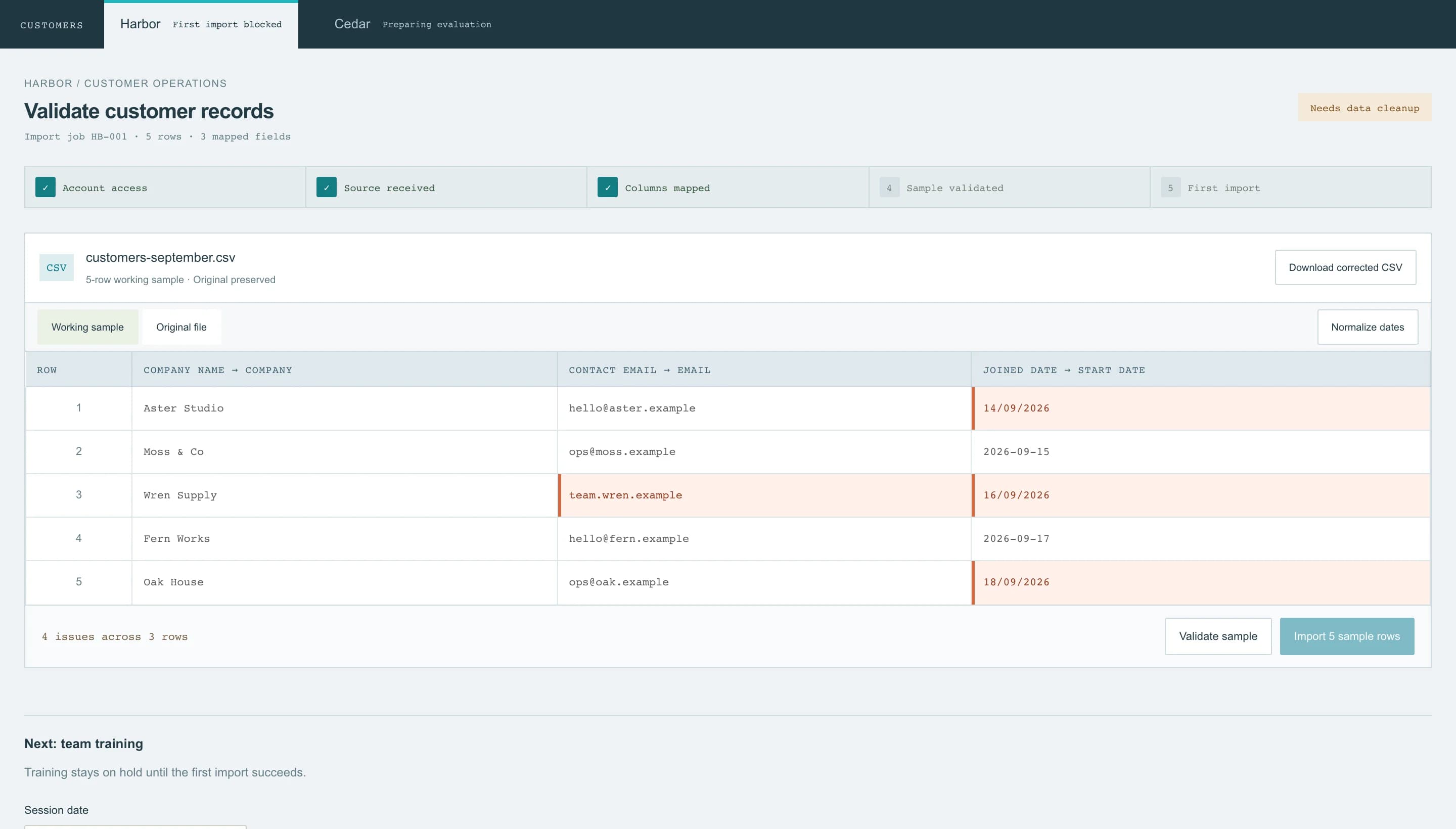
 Deal desk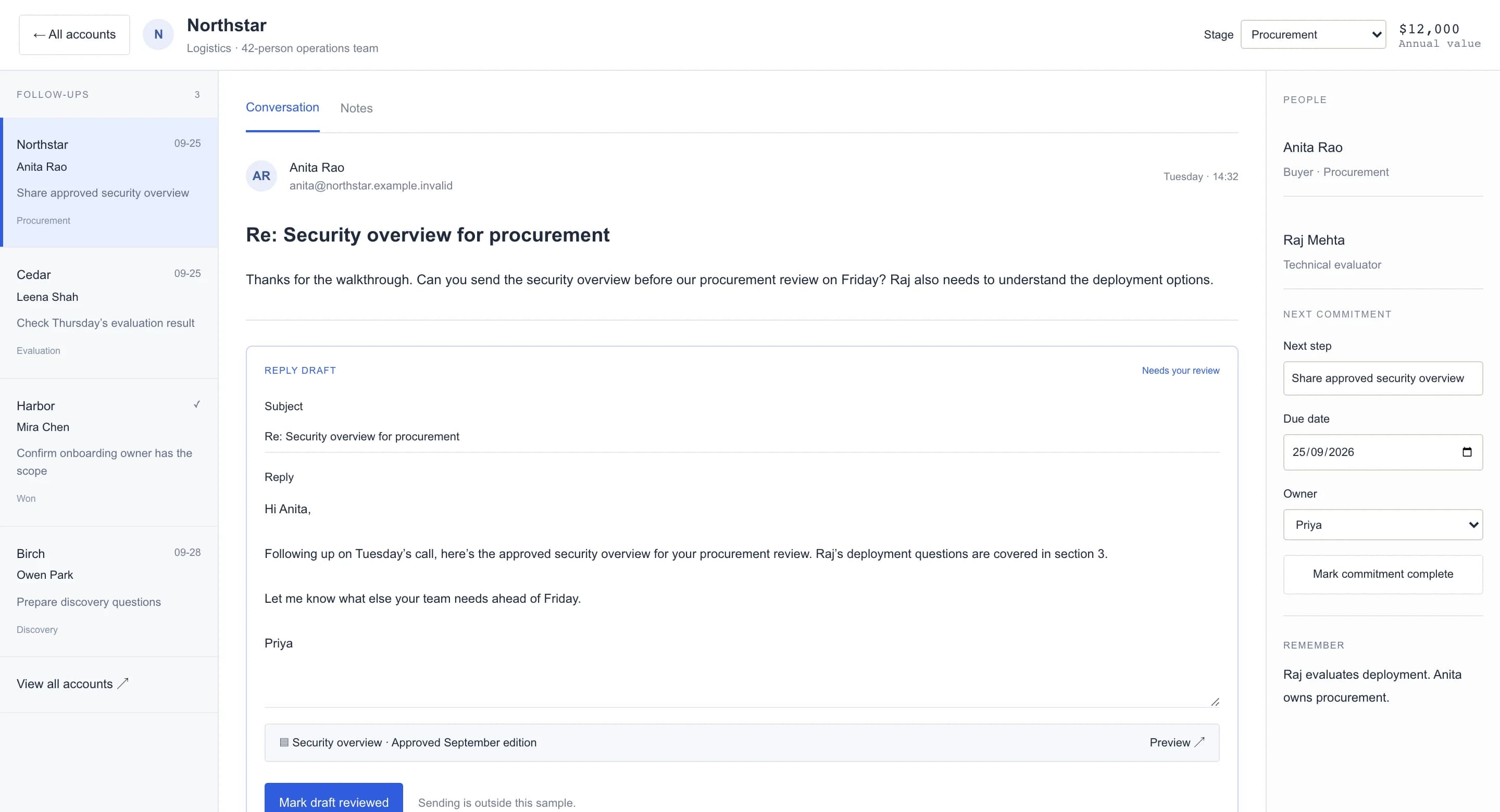
 Evidence notebook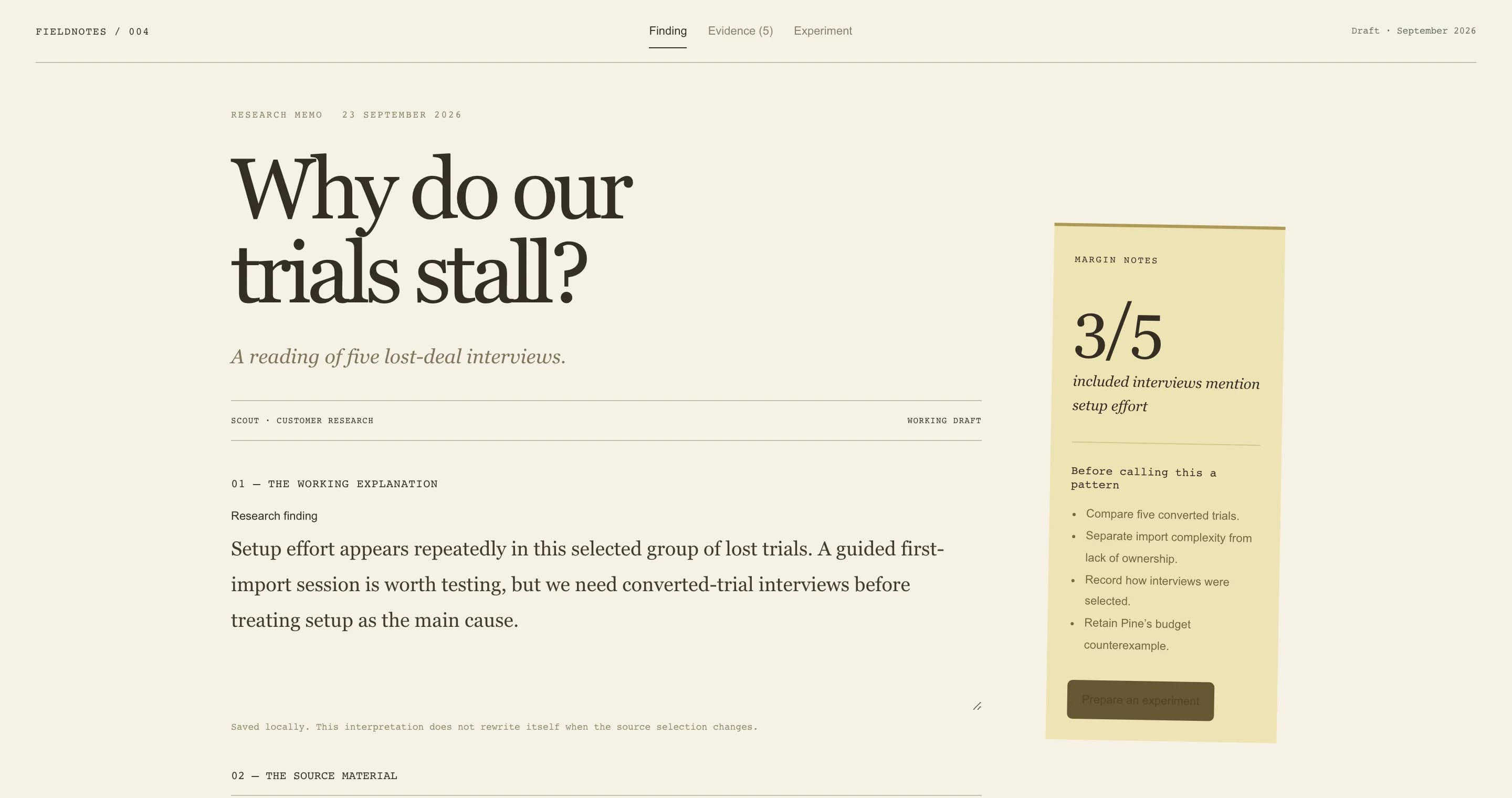
Four teammates, four apps, all different.
- Why not keep chatting?For a one-off, do. A job that keeps coming back deserves a screen.
- Why not buy or build?Bought tools impose their process. Building needs a database, sign-in and hosting; Lemma has those.
Who does what
Your teammate does the legwork. People decide.
It drafts, flags and gathers in the background; the app is where a person checks and acts. Dev presses Normalize dates, and the unambiguous dates fix themselves while the bad email stays flagged for a person.
Dates fixed. The email waits for a person.
Customer launchpad· an appHarbor / Customer operations
Validate customer records
Import job HB-001 · 5 rows · 3 mapped fields
| Row | Company name → Company | Contact email → Email | Joined date → Start date |
|---|---|---|---|
| 1 | Aster Studio | hello@aster.example | 14/09/20262026-09-14 |
| 2 | Moss & Co | ops@moss.example | 2026-09-15 |
| 3 | Wren Supply | team.wren.example | 16/09/20262026-09-16 |
| 4 | Fern Works | hello@fern.example | 2026-09-17 |
| 5 | Oak House | ops@oak.example | 18/09/20262026-09-18 |
Row 3 · email: Use a complete email address.
Your rules, built in
The app knows rules a spreadsheet forgets.
Edited copy needs approving again. Training waits for the first import. Tell your teammate the rules and it writes them into the app, so the screen remembers at five on a Friday.
Edit approved copy, and it needs review again.
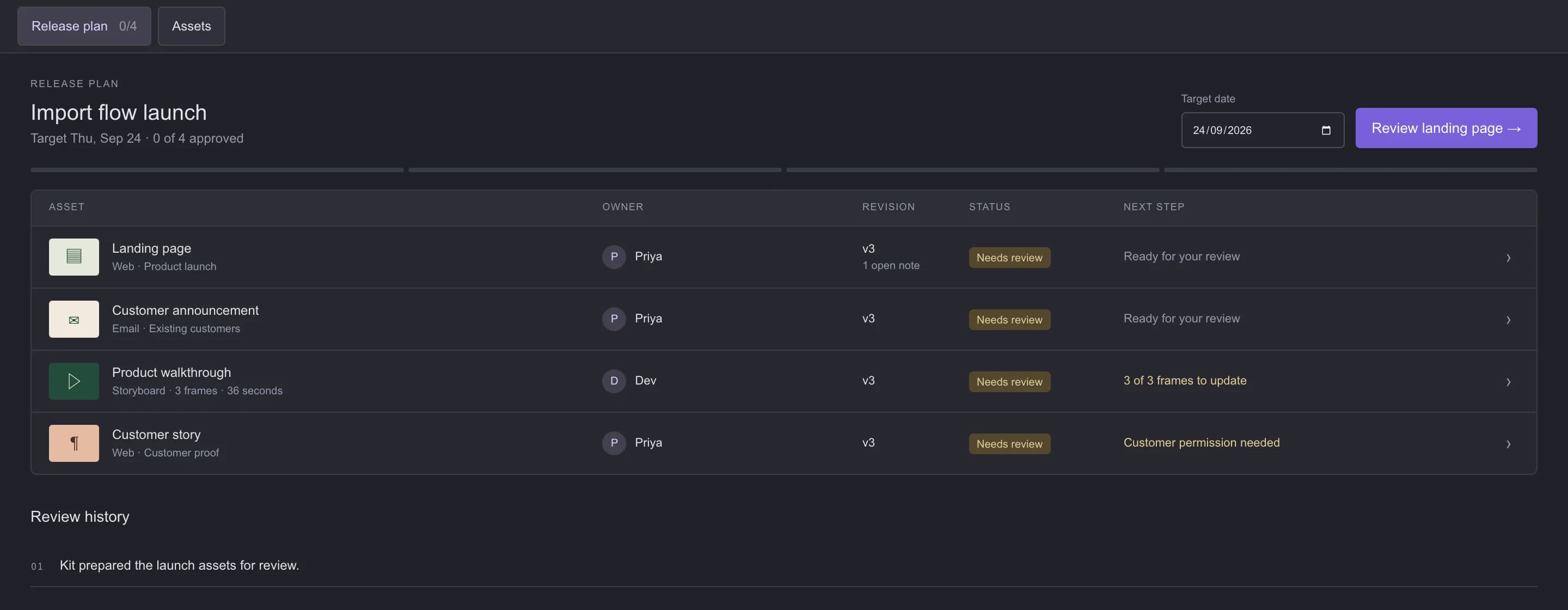
Launch studio· an appImport flow launch
Target Thu, Oct 8 · 10 of 4 approved
02You approved Landing page v3.
The start of betterfaster work.
Making one
Describe the job. Your teammate builds the app.
Press Describe an app or pick an idea, and talk it through. Your teammate builds and tests it in its own sandbox, then hands it back with an Open button. To change it, ask in the app’s own chat.
Pick an idea; nothing’s built until you send it.
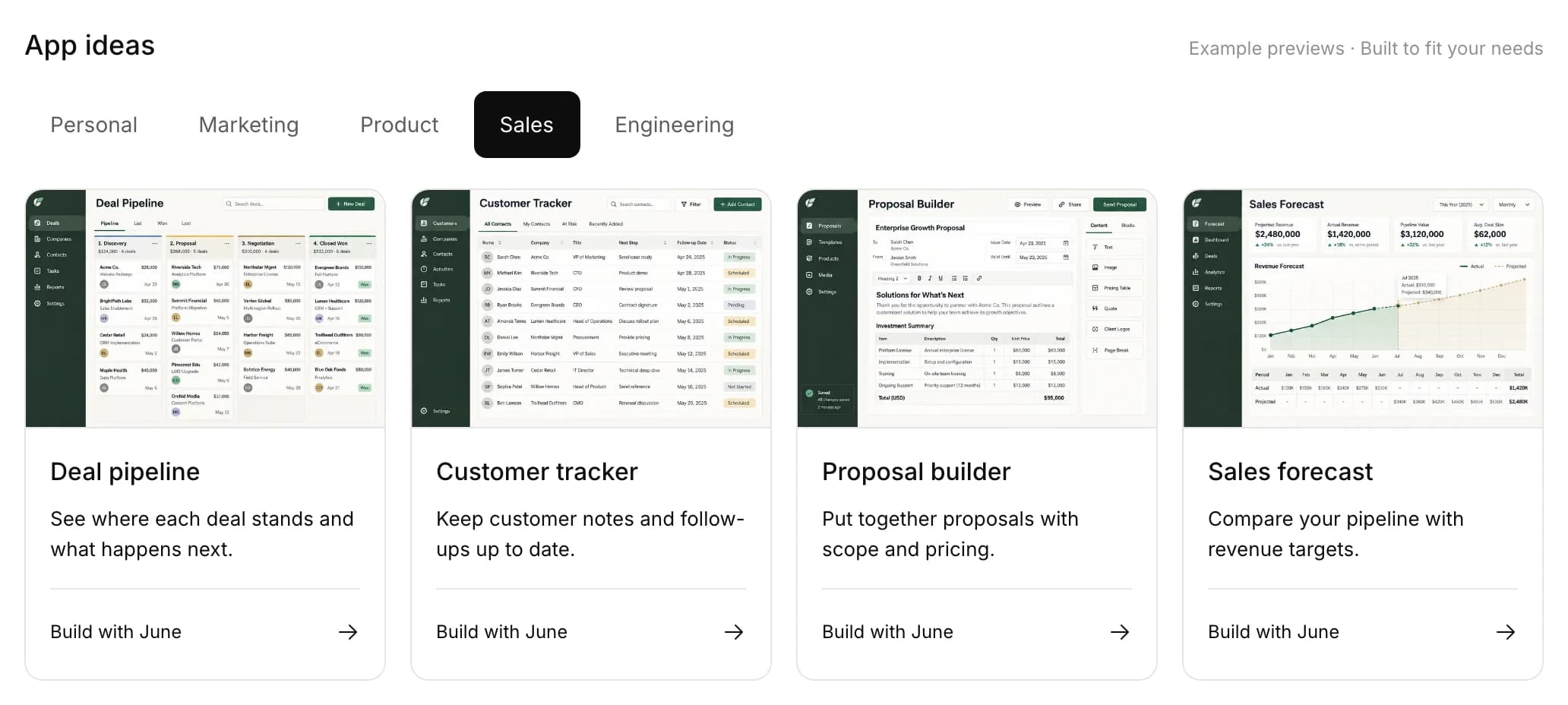
- App ideasTwenty starting points, shaped to how your team works.
- Small or fullOne HTML page, or a React app with several screens.
- Its own addressOpens as a tab, or from a phone’s home screen.
Permissions
Everyone sees only what they’re allowed to.
An app holds no keys of its own. Every request runs as whoever is signed in, under the same row rules as everywhere else, so Priya sees her accounts and you see yours, and nobody wrote a filter.
One app, three people, three views.
Deal desk· an appPPriya
Accounts 2
YYou
Accounts 1
SSam· not let in
Deal desk
Bringing your app into focus
Request access to Deal desk
This account is signed in, but it doesn’t have access to Deal desk yet.
What goes in
Built on the real rows, so it moves when they do.
Apps read and write your teammate’s tables directly, and their lists can update live: a new follow-up slides into the open Deal desk without a reload.
A new row slides in, no reload.
Deal desk· an appRe: Security overview for procurement
Thanks for the walkthrough. Can you send the security overview before our procurement review on Friday? Raj also needs to understand the deployment options.
RemyOn Deal deskBirch wants a discovery call next week. Add a follow-up?
Added a follow-up for Birch.
- TablesRead, write, join and total; lists update live.
- FilesShared folders, private files, converted documents.
- Your teammateA chat or a task inside the app.
- Workflow stepsAn inbox of steps waiting on whoever’s signed in.
- Connected toolsGmail or Slack actions on the person’s own account.
The small version
Asking for the same chart every Monday? Make it an app.
For a quick question, your teammate draws a live widget right in the chat. When you keep asking for it, it becomes an app with its own tab, address and chat.
A widget becomes an app.
Scout /ChatThe rest of its space
Every part of the job, in one place.
Which job do you still do by hand?
Describe it in a sentence. Your teammate builds the screen.